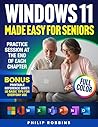
 WINDOWS 11 MADE EASY FOR SENIORS: Full Color User Friendly Guide With Simple Step by Step Instructions. Enjoy Your PC & Browse The Internet With Confidence by Philip Robbins
My rating: 5 of 5 stars
Demystifying Windows 11 to improve productivity!
Computers, tablets, and smartphones are ubiquitous and an integral part of everyday life. While these useful gadgets make life easy, there is also a wide array of problems they present. The operating systems, software interfaces, and other requirements are constantly evolving; software developers and hardware manufacturers label them essential improvements, but in reality, they present daunting challenges. One must constantly unlearn and relearn the old and new software respectively. Windows is perhaps the most widely used operating system in the world. It has undergone several changes and now the current version is significantly different from the previous. As a result, users are expected to learn and adapt to this new software.
Older adults find it difficult to adapt and relearn these rapid advancements in software and often feel left out. Not every younger person relative or not has the patience or time to teach them the new changes. In this scenario Philip Robbins’ Windows 11 Made Easy for Seniors, comes as a great reference for those wanting to learn how to master the use of a computer with windows 11. Written in a chatty, conversational style, with several full color illustrations and photographs, the 13 chapter, 114-page book is a great learning and reference resource. Particularly for seniors or older adults, this book will come as a step-by-step guide, easy to understand and follow along. I particularly liked the fact that the book covers everything from basics of how to turn on the computer to securing your identity online. The colorful images provide much needed relief from text and make it an interesting read for everyone.
Each chapter comes with a short practice session at the end which helps users to put into play the concepts and cheat codes they learned. This makes learning simple, easy, fun, and retention is promoted through practice sessions. Even though I have been using windows 11 for a while now and don’t feel challenged by the new operating system I was able to learn few concepts that helped me optimize my workspace.
Overall I think this is a great learning guide for those new to windows 11, be it seniors or young adults or professionals. Everyone will find something beneficial in this book.
View all my reviews

No comments:
Post a Comment
Thanks for stopping by. Your comments will be addressed appropriately!